


Baby Monitor Saby - 3G Babycam
4.4543.00 Reviews
App Specs
- Version
- 2.205
- Updated On
- License
- Free
- Downloads
- 1,000,000+
- Developer
- Saby Baby monitor Ltd
- Categories
- Parenting
- Platform
- Android
Screenshots
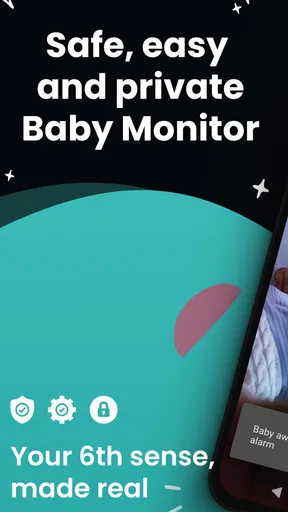
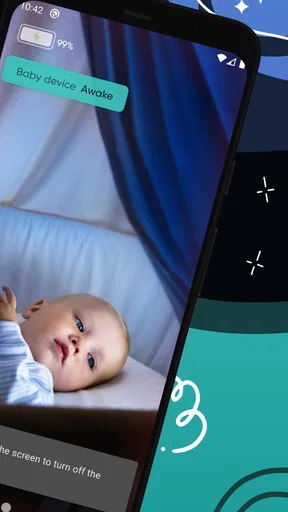
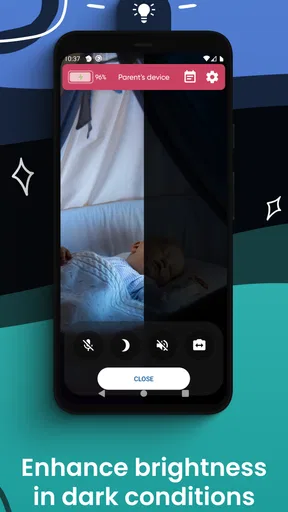
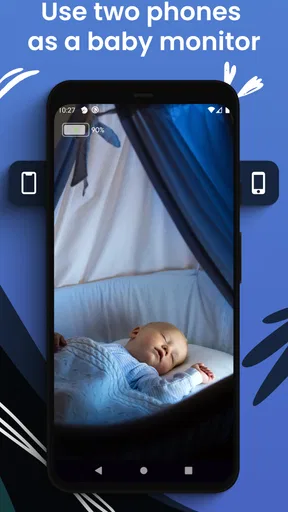
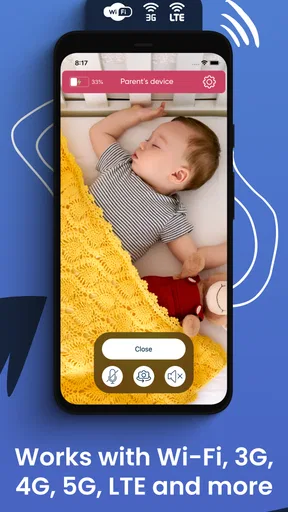

 Analysis by AppCompare
I find baby-monitor apps most useful when they make a simple task feel manageable: leave one device near the child, keep another with the caregiver, and check in without turning every small noise into a reason to walk back into the room. Baby Monitor Saby - 3G Babycam is built around that two-device approach. It is a parenting app from Saby Baby monitor Ltd, and its appeal is practical rather than flashy: it offers a way to keep watch when a dedicated monitor is not already part of the household.
That setup also shapes my view of who will benefit. A parent with an older spare phone or tablet may be able to put an unused device to work, while a caregiver who needs a dependable, purpose-built monitor may prefer dedicated hardware. The app is free to install and rated for Everyone, but optional in-app purchases range from $1.99 to $109.99 per item. I would treat the free entry point as a chance to see whether the two-device routine fits your household, not as a promise that every possible use is included at no cost.
Readability and navigation in a tired-parent routine
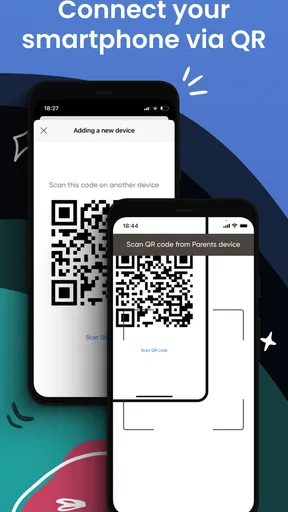
Baby-monitor software is often used while someone is distracted, carrying a baby, or trying to settle down for the night. In that context, a clear setup flow matters more than a long list of controls. The pairing approach in the published review—scanning a QR code rather than entering network details—sounds less intimidating than configuring a monitor manually. I would still do the first setup when I have a few calm minutes, rather than waiting until bedtime, so both devices are paired and positioned before anyone is relying on them.
The app’s smart notifications are central to its purpose: they can help a caregiver notice activity without staring at a screen continuously. That can make the experience less demanding than checking a live feed over and over. At the same time, no alert should be treated as a substitute for a caregiver’s judgement or an in-person check when something seems wrong. I’d use notifications as a prompt to pay attention, not as a guarantee that every important event will be detected.
Motor and sensory considerations
Using a phone as the parent-side device can be convenient for someone who already keeps it nearby. The ability to monitor in the background, as described in the original review, may also reduce the need to hold the app open constantly. That is helpful when a caregiver needs to do another task, though it is still sensible to check how alerts appear on the particular device and to keep notification sounds or vibration in mind for the household’s needs.
For someone who has difficulty tapping small controls, holding a device steady, or interpreting a dim image, a phone-based monitor may be less comfortable than a dedicated unit with familiar physical controls or a larger display. Night viewing and two-way audio offer different kinds of reassurance, but neither makes the app automatically suitable for every sensory preference. I’d position the viewing device before settling in, choose a stable place for it, and test the sound at a comfortable level so the routine does not depend on hurried adjustments in a dark room.
Situational access and the two-device trade-off
The app’s use of 3G and 4G, mentioned in the original review, can be useful when the caregiver is away from the home network. That flexibility is not the same as universal access: both ends still need suitable devices and a working connection, and the experience may change with network conditions. A mobile connection can also bring data use into the decision, so I would check the household’s plan and connection before making remote viewing part of a regular routine.
Worth Reading Before You Choose

Baby Panda World Brings Quick Play to Modern Phones, but Its Game Library Feels Busy

ESPN’s Live Game View Makes Following Close Games Easier

QuizzLand Review: A Good Fit for Short Trivia Breaks, Not Every Player

Basketball Stars: Multiplayer Is Fast, but Can It Recover When Matches Go Wrong?

WEBTOON Turns Phone Updates Into a Better Reading Routine

Link to Windows Runs on Shared Habits, Not Social Feeds
A realistic example is a parent preparing dinner while a baby naps in another room. One device can remain near the sleeping space while the parent keeps the other close enough to receive an alert or check the feed. If the parent steps outside the home, mobile connectivity may make a check-in possible, but I would not assume the same responsiveness as being on a strong local connection. The most useful test is not a quick glance while everything is quiet; it is confirming that the everyday arrangement works from the places where the caregiver actually needs to be.
Compared with a traditional audio-only monitor, a phone-based app can add a visual check and remote access, but it asks the household to supply and manage two devices. Compared with a dedicated video monitor, it may be appealing if spare hardware is available, while a purpose-built monitor is generally the more straightforward choice for someone who wants a single, always-ready system. For families who share care, it is worth agreeing who keeps the parent device and who responds to alerts; an alert is less useful if everyone assumes someone else has seen it.
What to test before relying on it
I would begin with a short, supervised trial rather than making the app the only way to keep watch on the first night. Place the child-side device where its view and sound are useful, then check the parent-side device from the room where you expect to spend time. Try the routine with the screen in the background, and make sure an alert is noticeable without being so disruptive that it defeats the point of a calmer monitoring setup.
There are a few practical trade-offs that are easy to overlook. Keeping an older device in service can save the expense of buying a separate monitor, but it also means that device must remain available, powered, and positioned for the job. If the child-side device is also used for other purposes, someone may move it or close the app at the wrong time. I’d reserve it for monitoring during sleep periods and make its role clear to anyone else in the home.
Remote access can be especially useful for a caregiver who needs to move between rooms or briefly step away, but I would not choose this setup if the connection is unreliable where the devices will be used. Likewise, if a caregiver needs large, tactile controls or wants a dedicated screen that is always ready, a conventional monitor may be a better fit. A phone app reduces the need for another piece of equipment only when the household can spare the devices and manage their placement consistently.
Baby Monitor Saby has an average rating of 4.4 from around 52,000 ratings, with more than 500,000 installs. It was released in November 2018, and version 2.205 requires Android 8.0 or later. Those details make it a well-established option for many Android users, but I would still check that the devices available at home meet the requirements and that the app behaves as expected on them before making it part of a routine. Its 533 written reviews are a useful sign that people have shared feedback, though individual experiences with connectivity and household setups can differ.
My inclusive take is that the app’s low-friction pairing and flexible phone-based arrangement may work well for caregivers who are comfortable using a smartphone and can keep two devices in place. It is less convincing for anyone who needs a large, dedicated display, physical controls, or monitoring that does not depend on a phone and network. The best choice depends on how a particular person sees, hears, moves, and manages alerts—not on an accessibility label. I would test the setup with the actual caregiver and devices, then choose the option that makes checking in clear and comfortable.
Getting Started with Baby Monitor Saby
First off, setting up Baby Monitor Saby is a breeze. I downloaded the app on both my phone and an old tablet that was gathering dust in a drawer. The best part? You don’t need to be a tech wizard to get things going. Just install the app on two devices, and voilà, you have yourself a makeshift baby monitor.
What caught my eye immediately was the intuitive interface. It’s straightforward, with clear instructions guiding you through the setup process. The app uses a QR code scanning system to pair devices, which, in my opinion, is much easier than fiddling with IP addresses or complex settings. Within minutes, I had live video streaming from the tablet to my phone. Pretty neat, right?
Features That Stand Out
Now, let’s dive into what makes this app worth checking out. The feature list is quite impressive for a free app. Here's what stood out to me:
- 3G/4G Connection: Unlike traditional baby monitors that rely on Wi-Fi, Saby works over 3G and 4G networks. This means you can keep an eye on your little one even when you’re out and about.
- Motion and Noise Detection: The app sends alerts when it detects movement or sound, so you’re always in the loop if your baby starts stirring.
- Night Vision: The night vision feature is a lifesaver for those late-night check-ins. It’s not perfect, but it’s certainly good enough to see what's going on in a dimly lit room.
- Two-Way Audio: This allows you to talk to your baby or play soothing music to help them drift back to sleep.
The app also supports background monitoring, which means you can use your phone for other tasks while keeping an ear out for any alerts. It’s a thoughtful touch, especially if you’re juggling multiple things at once.
Performance and Reliability
In terms of performance, Baby Monitor Saby holds up quite well. The video quality is decent, though it does depend on your network speed. During my tests, there was minimal lag, and the audio was clear. However, I did notice a slight delay when using 3G, which is something to keep in mind if you’re relying on mobile data.
One thing I appreciate is the app’s reliability. Over several days of usage, I didn’t experience any crashes or major hiccups. It’s nice to know that the app won’t randomly give up on you, especially when you’re counting on it to monitor your baby.
The Verdict
Would I recommend Baby Monitor Saby - 3G Babycam? Absolutely. It’s a solid choice for anyone looking for a budget-friendly baby monitoring solution. While it may not replace high-end dedicated baby monitors, it offers a compelling set of features that are hard to beat, especially for a free app.
Of course, there are a few things that could be improved. The app could benefit from a more refined night vision feature, and a bit more polish on the video streaming quality wouldn’t hurt. But all in all, it’s a dependable tool for keeping tabs on your little one.
If you’re intrigued, you might want to give it a try. It’s available for both Android and iOS, and you can find the download links on our website. Happy monitoring!
Pros
- Reliable video streaming quality.
- Easy setup for tech novices.
- Two-way audio communication.
- Cross-platform compatibility.
- Real-time notifications.
Cons
- Requires stable internet connection.
- Limited free features.
- Occasional app crashes.
- High battery consumption.
- Subscription can be pricey.
FAQs for Baby Monitor Saby - 3G Babycam
What features does Baby Monitor Saby offer for parents?
Baby Monitor Saby provides a range of features including real-time video and audio monitoring, motion and noise alerts, and two-way communication. The app also offers night vision support and the ability to monitor multiple children at once. It's designed to provide peace of mind with its reliable connection over 3G, 4G, or Wi-Fi.
Is Baby Monitor Saby secure and private?
Yes, Baby Monitor Saby prioritizes user privacy and security by using encrypted connections. This ensures that all video and audio streams are only accessible to the paired devices, keeping your family’s data safe from unauthorized access. The app does not store any recordings, further enhancing privacy.
How easy is it to set up Baby Monitor Saby?
Setting up Baby Monitor Saby is straightforward. Users need two devices—one for the baby’s room and another for monitoring. Simply install the app on both devices, pair them through a secure code, and you’re ready to go. The user-friendly interface makes navigation and setup quick and easy.
What are the system requirements for Baby Monitor Saby?
Baby Monitor Saby is compatible with both Android and iOS devices. It requires a minimum of Android 5.0 or iOS 10.0 to function optimally. Users should ensure their devices are updated to meet these requirements for the best experience. A stable internet connection is also necessary for reliable monitoring.
Does Baby Monitor Saby offer customer support?
Yes, Baby Monitor Saby offers customer support to assist users with any issues or questions. Support is accessible through the app’s settings menu, providing options for email or in-app messaging. The support team aims to respond promptly to ensure users have a seamless experience with the app.


